
Support305 Logo
Back to Blog
IT SOLUTIONS

The Essential Guide to Office Wi-Fi Optimization for Reliable Meetings.

Bryant Vasquez

Bryant Vasquez

Chief Technology Officer at Support305

The Essential Guide to Office Wi-Fi Optimization for Reliable Meetings.

Even the most advanced audio and video systems fail when WiFi cannot support multiple connected devices. Office WiFi optimization is critical for reliable meetings, cloud applications, and uninterrupted collaboration.

Why Office WiFi Is Different from Home WiFi?

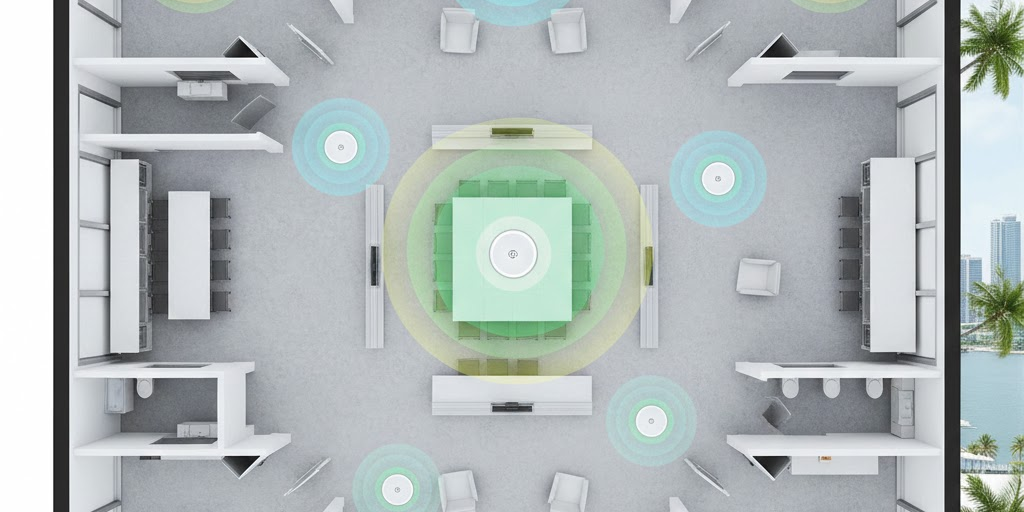
Home routers are not built to carry dozens of devices. Offices need access points, proper placement, bandwidth management, and interference control. Optimizing your office WiFi is key to keeping video and audio perfectly in sync, complementing tips we shared in understanding AV latency and keeping audio and video in sync.

What Affects WiFi Quality?

Poor wireless performance often comes from structural and configuration issues such as thick walls, glass partitions, improper access point placement, channel interference, and unmanaged guest traffic. These issues directly impact conference room reliability.

How Optimization Solves Meeting Issues?

  • Professional mapping ensures coverage in every room, helping your DSP setups run smoothly as explained in expert DSP configuration for seamless audio.
  • Business access points reduce congestion.
  • Smart tuning removes interference.
  • Conference rooms get priority traffic for meetings, ensuring uninterrupted calls on any platform, including Zoom, Teams, or Webex.

Support305 provides professional office WiFi optimization for South Florida businesses, ensuring reliable meetings and fast connectivity. Contact us today to schedule a site assessment.