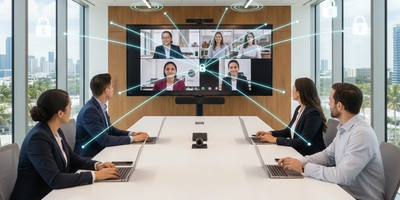
Creating a professional video conferencing setup doesn’t have to break the bank. With the right planning, you can achieve clear sound, crisp visuals, and a polished meeting experience using affordable, high-quality equipment. Whether you’re setting up a conference room for a small business or a growing remote team, thesepractical steps will help you design a reliable space that looks and sounds professional without overspending.
1. Choose the Right Room
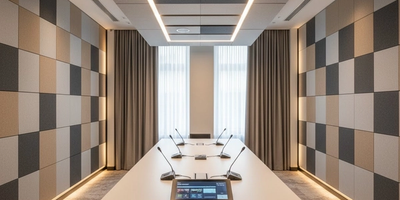
Pick a quiet space with minimal echo. Smaller rooms are ideal since they’re easier to soundproof and lighter. Avoid glass walls or high ceilings, as they can cause audio reflections and distractions.
2. Use an Affordable but Reliable Display
You don’t need an expensive LED wall; a mid-range TV or display (around 55") works great for small teams. Mount it at eye level for natural sightlines during calls.
3. Prioritize Good Audio
Invest in a quality microphone before upgrading anything else. Table mics or USB speakerphones (like Jabra Speak or Logitech P710e) give clear sound without breaking the bank.
4. Optimize Lighting
Natural light is your best friend. Add soft LED panels behind the camera if the room lacks daylight. Avoid overhead lighting that casts shadows on faces.
5. Set a Clean Background
A clutter-free wall or branded backdrop creates a professional look. Avoid windows or distracting posters.
6. Manage Cables Smartly
Use cable trays or clips to route wires under the table. A tidy setup instantly looks more professional and reduces tripping hazards.
7. Use the Right Camera Position
Position your webcam or PTZ camera at eye level. It creates a natural “face-to-face” feel during meetings.
8. Add Smart Controls
Affordable control hubs or wall-mounted tablets can let you join or end calls with one tap. This small upgrade saves setup time and keeps meetings flowing.
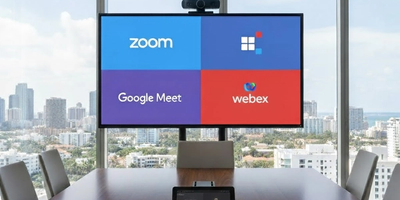
Tools like Zoom Rooms or Microsoft Teams Rooms optimize your setup and reduce the need for expensive hardware codecs.
10. Keep Improving
Record and review your meeting experiences. Adjust camera angles, audio levels, and lighting based on feedback. Incremental improvements go a long way.
Creating a professional video conferencing room on a budget is completely achievable with the right planning and a focus on the essentials. When you prioritize audio quality, proper lighting, smart camera placement, and clean cable management, the final result will look polished and feel just as reliable as a high end setup. Small businesses and growing teams can easily build a meeting space that supports smooth communication and smoothy collaboration without overspending.
If you need help to set up a professional video conference room on a budget, the Support305 team is ready to assist. Our specialists can design, install, and optimize a complete meeting room setup that fits your space and budget. Contact us today for expert guidance and a setup that looks professional and performs beautifully.